
Propulator Guides
Step-by-step how-tos for every part of the app, from your first listing link to a signed contract.

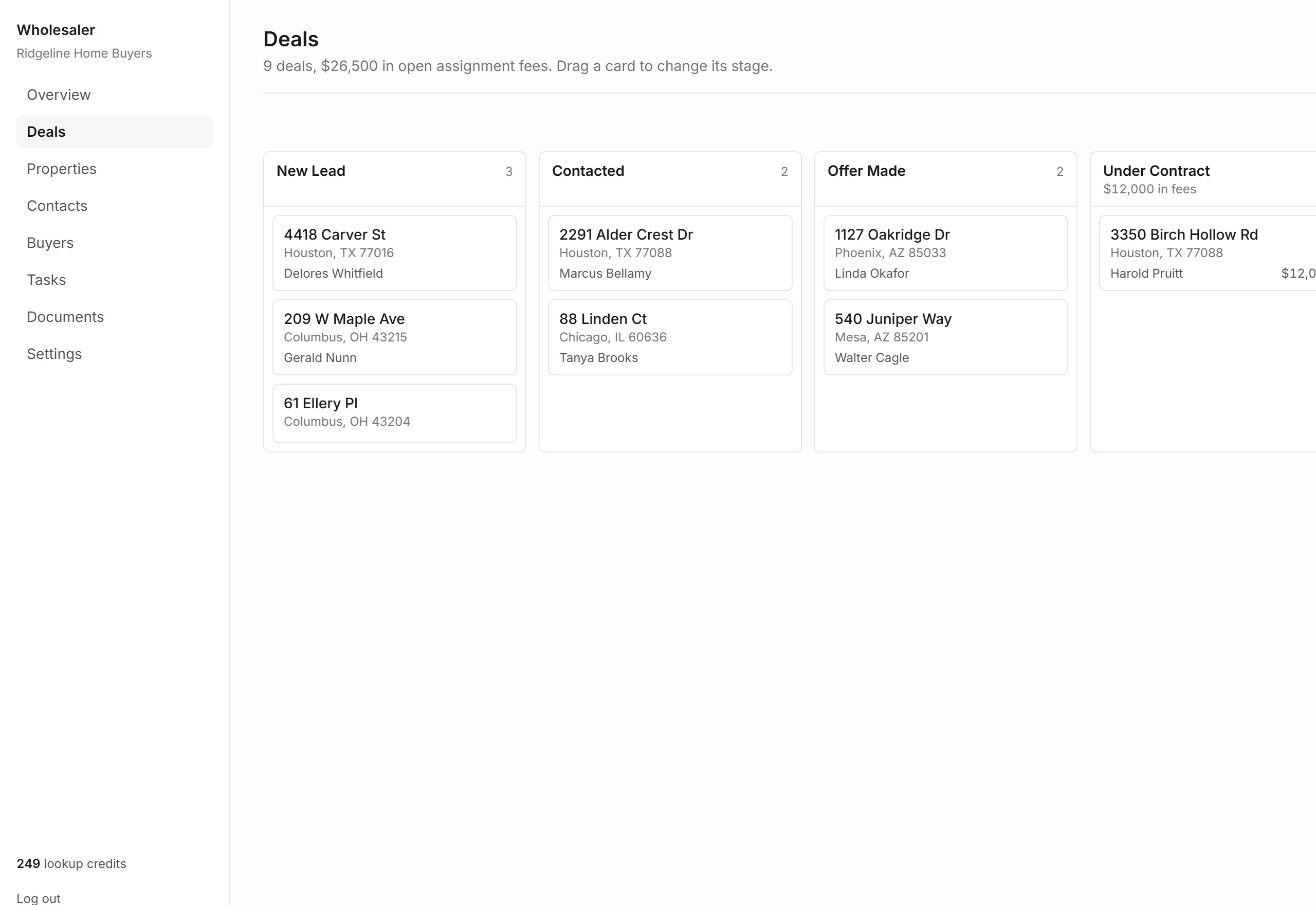
Getting Started With Propulator
Setup takes about two minutes. Create an account, name your company, and paste your first listing link. Your pipeline stages come set up, and you can rename them any time.
- Create your account and name your company
- Add your first property from a link
- Start a deal and move it across the board
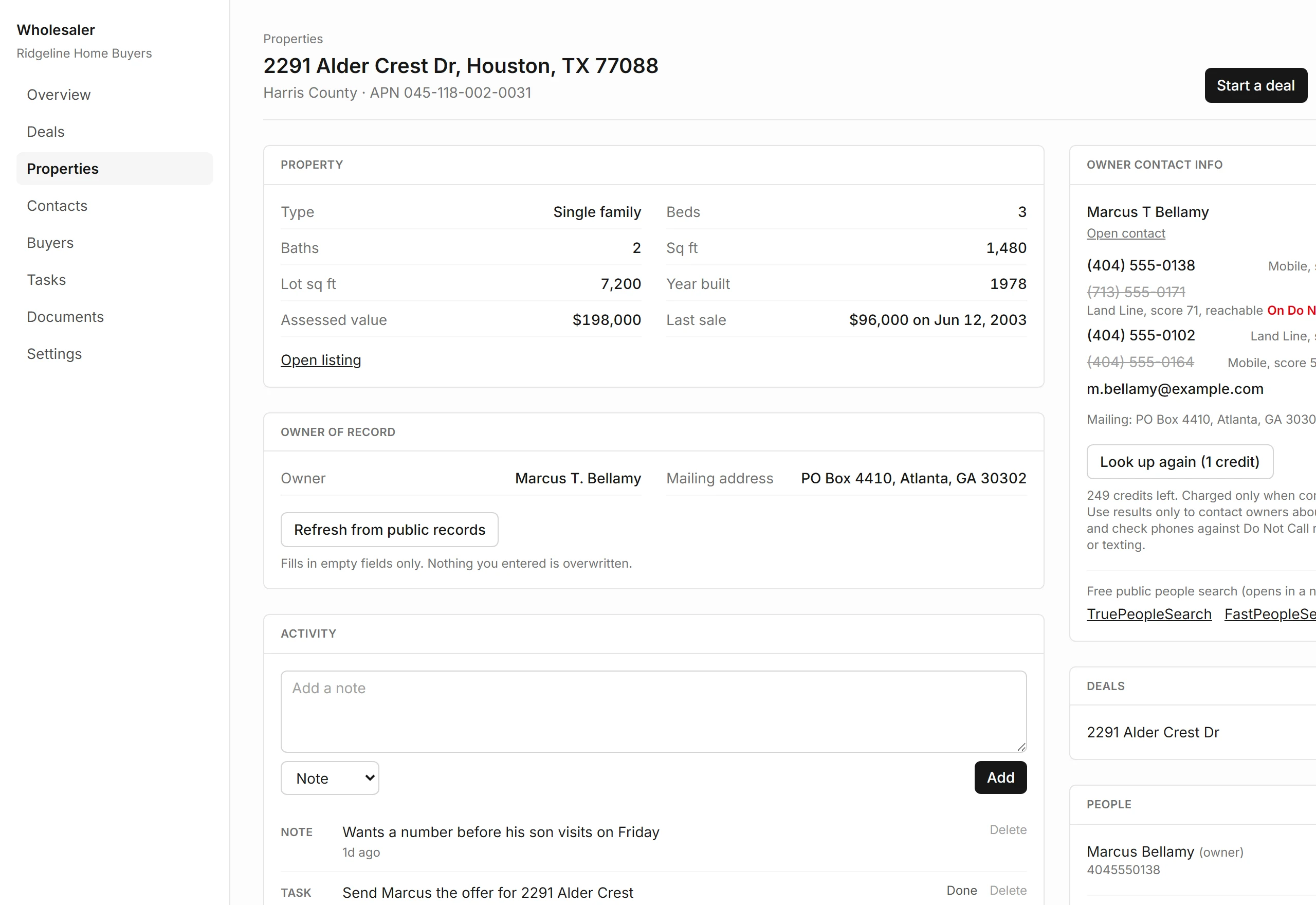
How to Look Up a Property Owner
Paste a Zillow, Redfin or Realtor.com link, or type a US address, and see the owner of record from county public records.
Read the Guide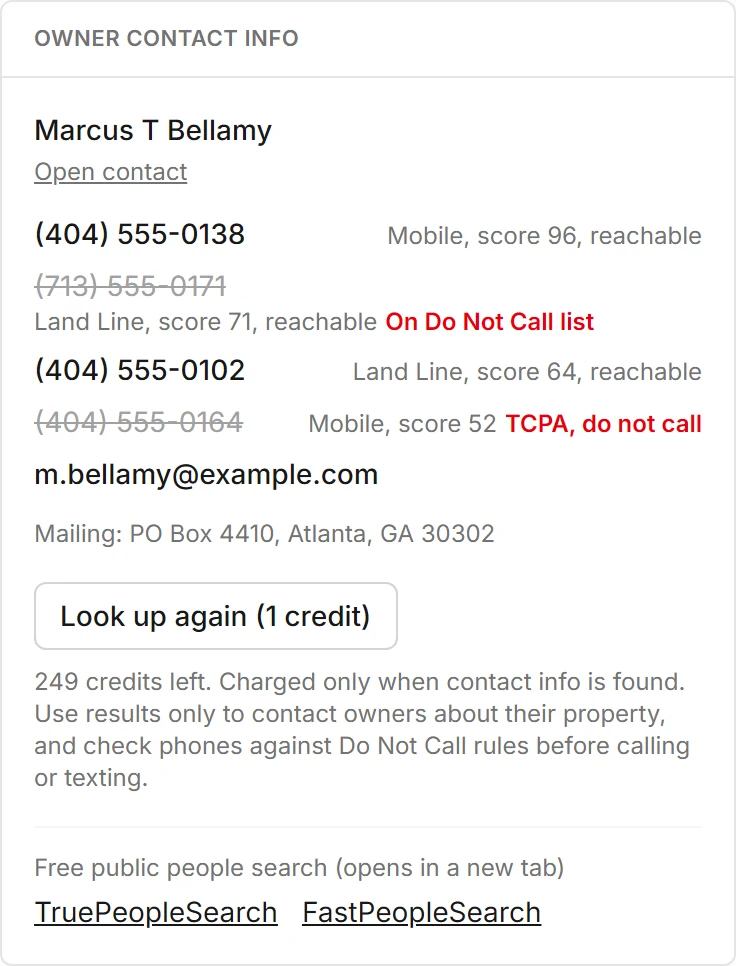
Skip Tracing an Owner
Get owner phones and emails, read the DNC and litigator flags before you dial, and know exactly when a credit is used.
Read the Guide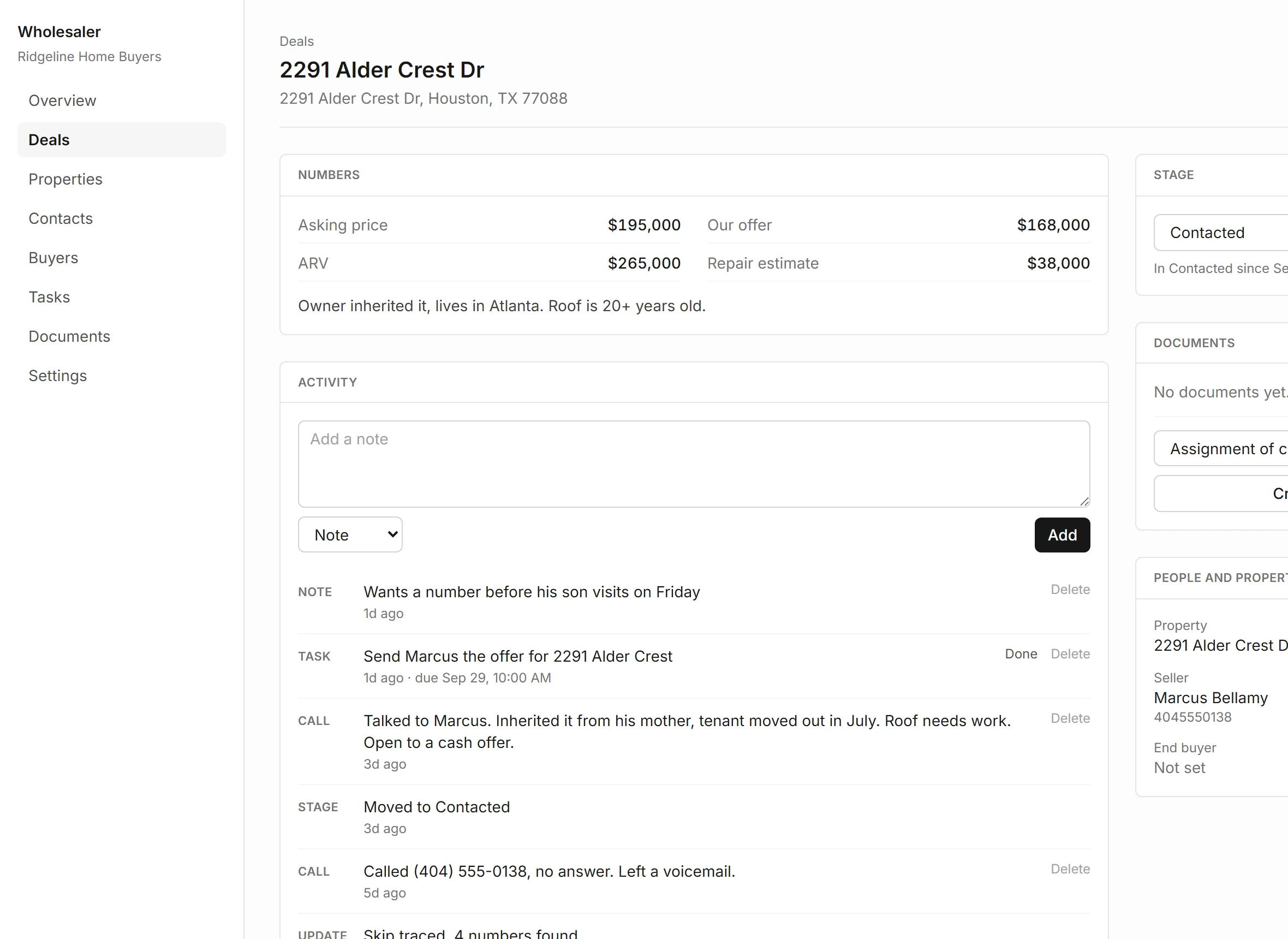
Using the Deal Analyzer
Run seller finance, subject-to, Section 8 and long-term rental numbers side by side, with your assignment fee on top.
Read the Guide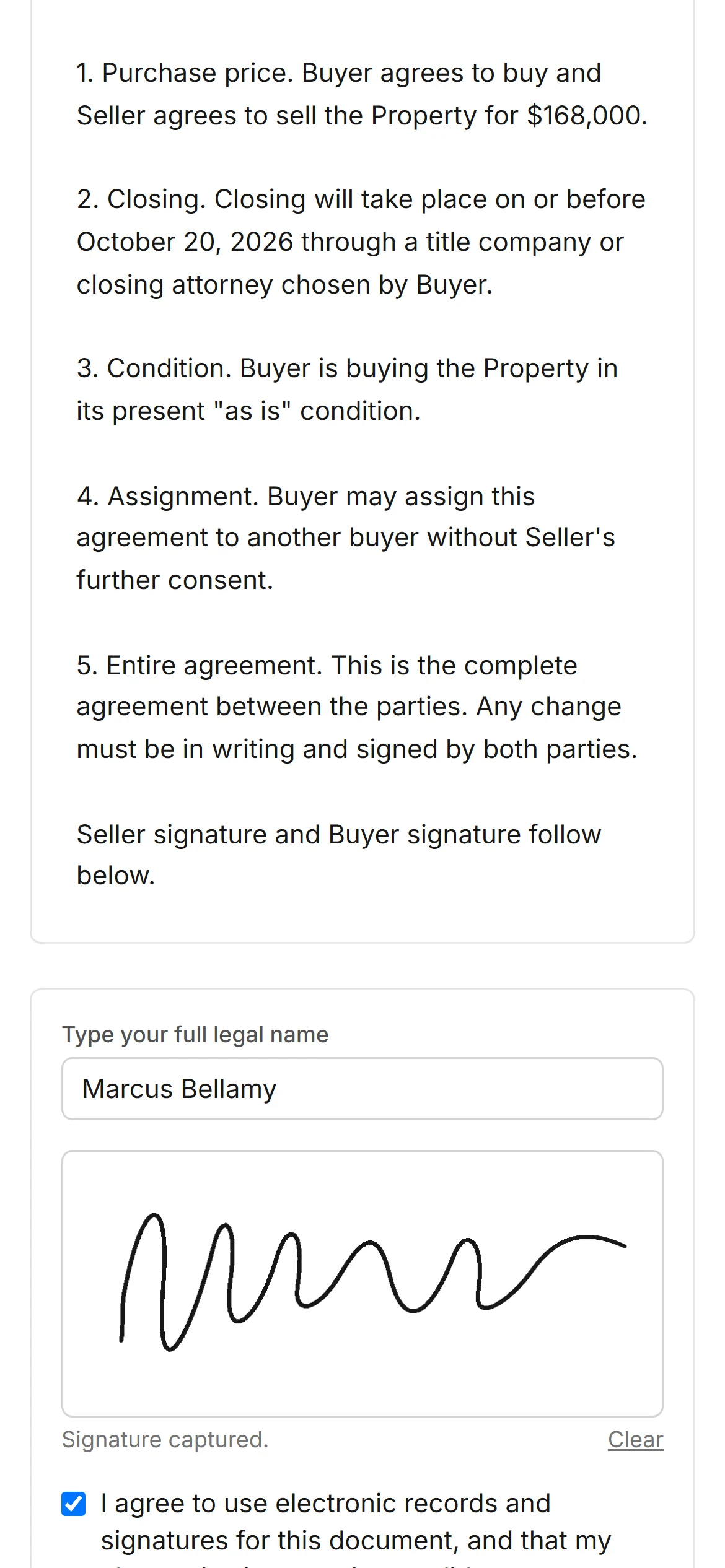
Contract Templates and E-Signature
Fill a purchase or assignment template from the deal, then send a private signing link the seller opens on any phone.
Read the Guide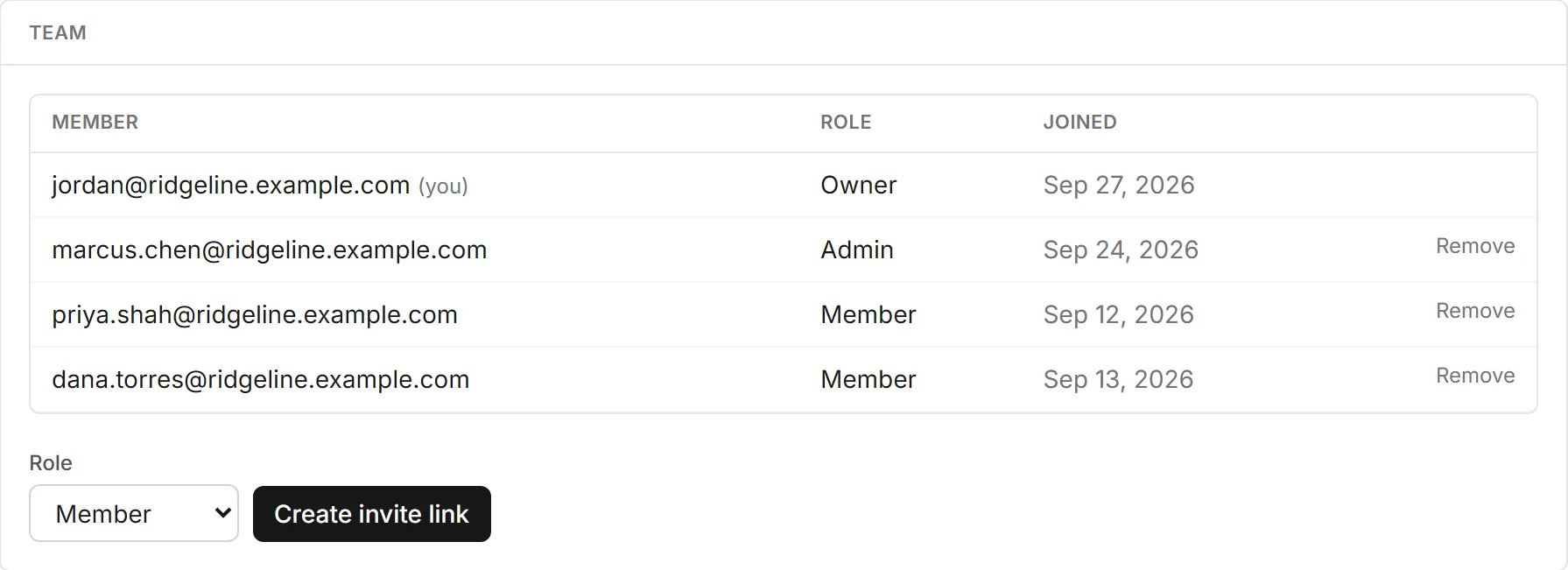
Running a Team
Invite acquisition reps, dispositions and VAs as admins or members. Everyone shares the same deals, contacts and credits.
Read the Guide
Importing Your Contacts
Bring sellers, cash buyers and agents in from a CSV file. Upload, map your columns, review, and import up to 5,000 rows at a time.
Read the GuideWhere Owner Lookup Works
Every US address resolves. The owner name, mailing address, values and last sale come straight from county public records in Maricopa, Harris, Franklin, Cook and Philadelphia counties and the City of Detroit.
Anywhere else, a skip trace on Starter or Pro finds the owner and their contact details.
Try It on Your Next Deal
The Free plan has everything but skip tracing. No card needed.