Propulator keeps your properties, owners, deals and contracts in one place. This guide takes you from a new account to your first deal on the board.
Create Your Account
Choose Start Free on this site. Enter your Company name, Email and a Password of at least 6 characters, then choose Sign up.
Your company is created straight away and you land on your Dashboard. The Free plan needs no card.
Your Company Is Your Team
Everything you add belongs to the company, not to one person:
- Deals, properties, contacts, tasks and documents are shared with everyone you invite.
- Lookup credits are one balance for the whole company.
- You are the company's Owner, so you control settings, stages and billing.
The app works in 12 languages. Open the menu under your company name at the top right and choose Language. The choice is saved in your browser.
Find Your Way Around
The sidebar has Dashboard, Deals, Analyze, Properties and Contacts, then Tasks and Documents, with Settings at the bottom.
The Dashboard shows your pipeline fees, deals closed this month, open deals and what's new this week, plus open tasks, documents out for signature and your lookup credits.
Add Your First Property
Choose Look up a property on the Dashboard, or Add property under Properties. Paste a Zillow, Redfin or Realtor.com link, or type a US address, and choose Look up.
In supported counties the owner of record comes back from county public records, free. Choose Save property and the owner is added as a seller contact.
Start a Deal
Open Deals and choose New deal. Starting from a property's page fills in the deal name and seller for you.
- Give it a Deal name, like the street address.
- Pick the Property and, if you know them, the Seller and End buyer.
- Add the numbers you have: Asking price, Our offer, Contract price, Assignment fee, ARV, Repair estimate and Closing date.
- Choose Create deal.
A deal always needs a property, so add the property first.
Move It Across the Board
The Deals board has one column per stage. Drag a card to another column, or choose Move on the card and pick a stage. Each move can be undone from the message that appears.
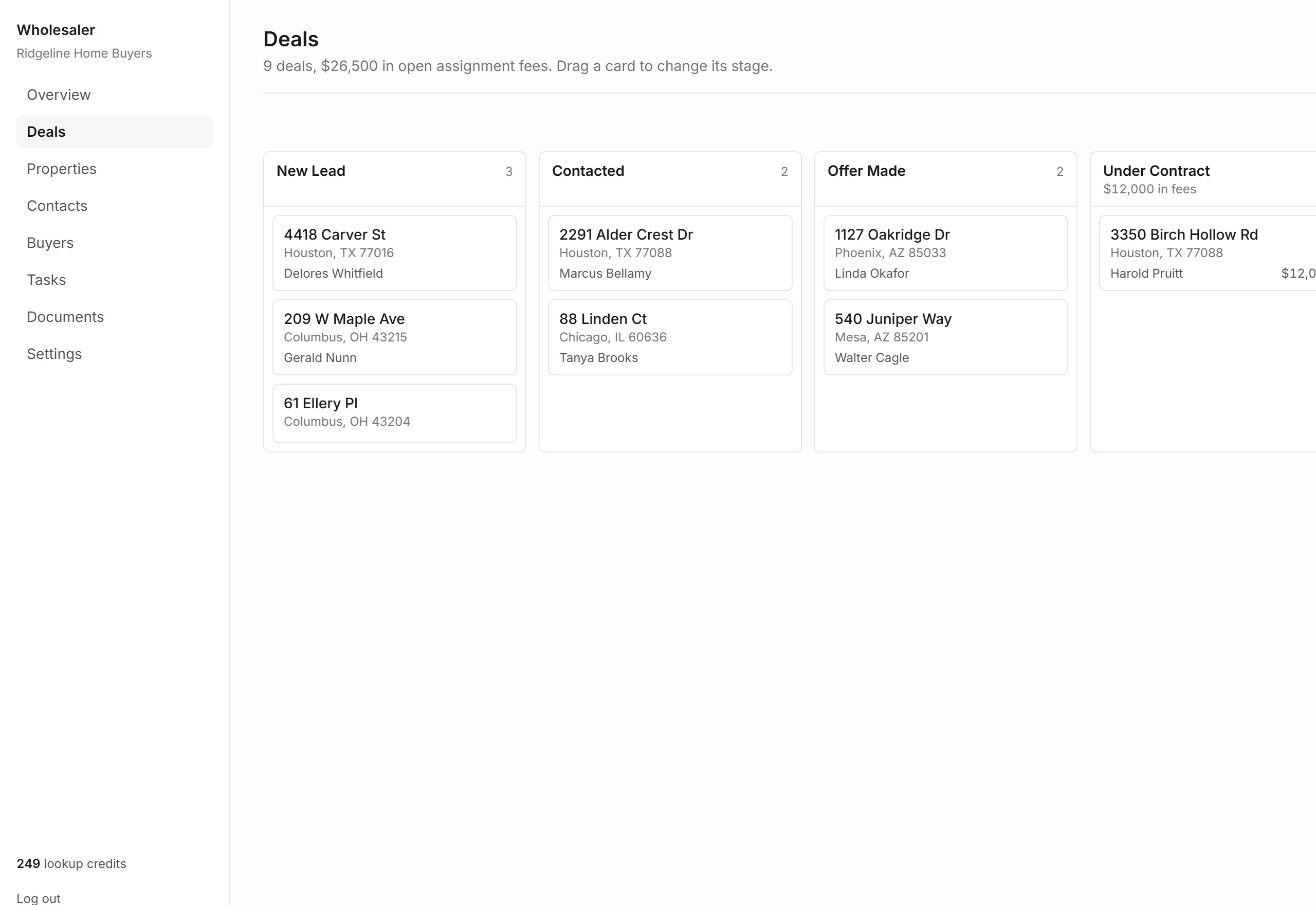
Closed and dead deals sit in folded columns at the end. Open one with its Show button.
Set Up Your Stages
New companies start with New Lead, Contacted, Offer Made, Under Contract, Assigned, Closed and Dead.
Owners and admins can rename, reorder, add and delete stages under Settings, Pipeline stages. Each stage is Open, Won or Lost. Move a stage's deals elsewhere before you delete it.
What Each Plan Includes
| Free | 1 user, 3 market-data analyses a month, no skip tracing |
|---|---|
| Starter | Up to 3 users, 50 analyses and 750 skip traces a month |
| Pro | Up to 10 users, 200 analyses and 2,000 skip traces a month |
| Every plan | CRM and pipeline, owner lookup from county records, contracts and e-signature |
Plan credits reset each billing month. Change your plan under Settings, Plan and credits.